
Public evidence and practical checks
Check a MIDI result before editing
Use this already published piano example to compare the recording and the actual MIDI. The notes in the downloadable MIDI have not been corrected for this tutorial.
Only use recordings you own or have permission to process. See the current tool page for access, limits and charges.
Original piano recording
191 note events describe this file, not its accuracy. There is no synchronized reference MIDI for this recording.
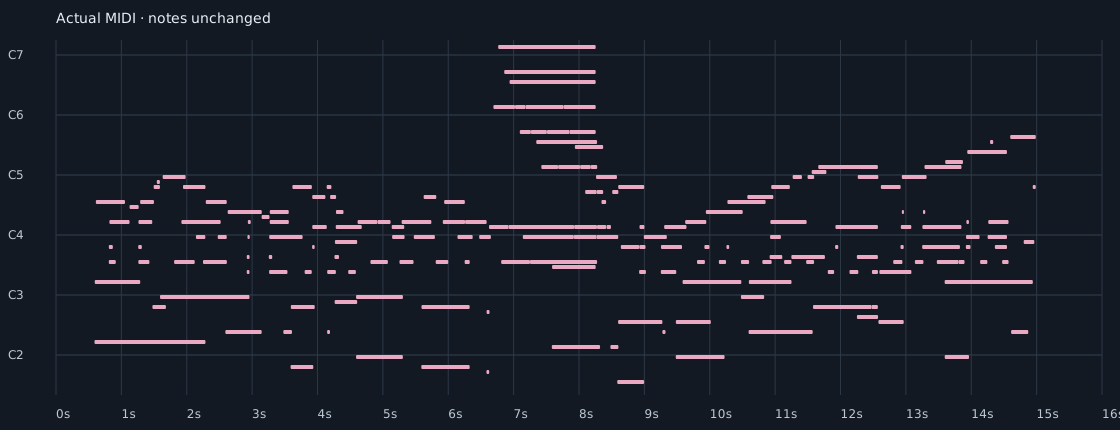
- Keep the original recording and the downloaded MIDI as separate originals.
- Listen to a short phrase in the recording, then compare the same phrase in the MIDI preview.
- Use the piano roll to inspect pitch, note starts, overlaps and unusually long or short notes. A suspicious note needs checking; it is not automatically an error.
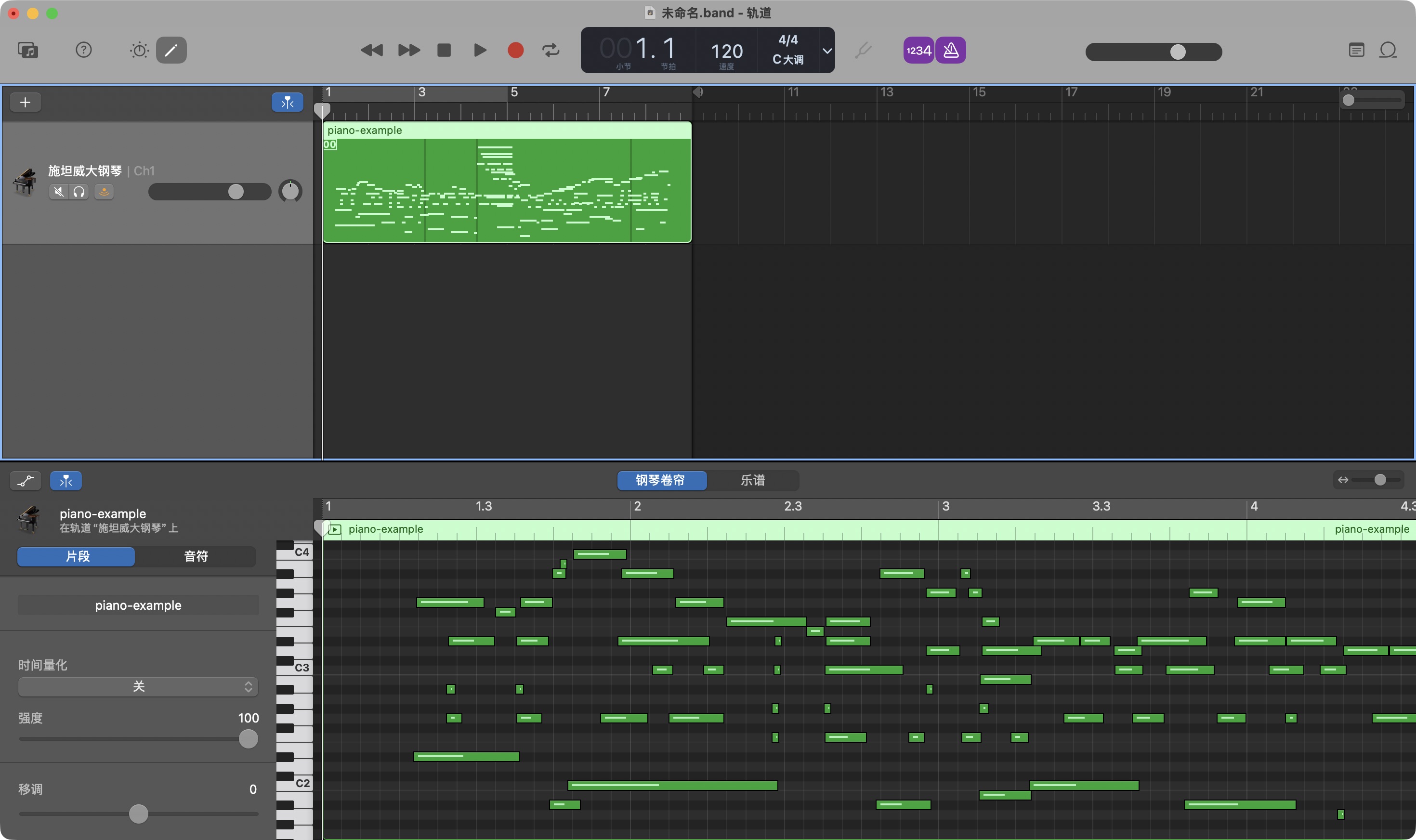
- Open a copy in your MIDI editor and choose a playable instrument sound. Keep the original MIDI unchanged.
- Change one confirmed issue at a time, then compare playback with the source. Avoid quantizing the whole performance before checking expressive timing.
- Save the edited version under a different name and note what you changed.
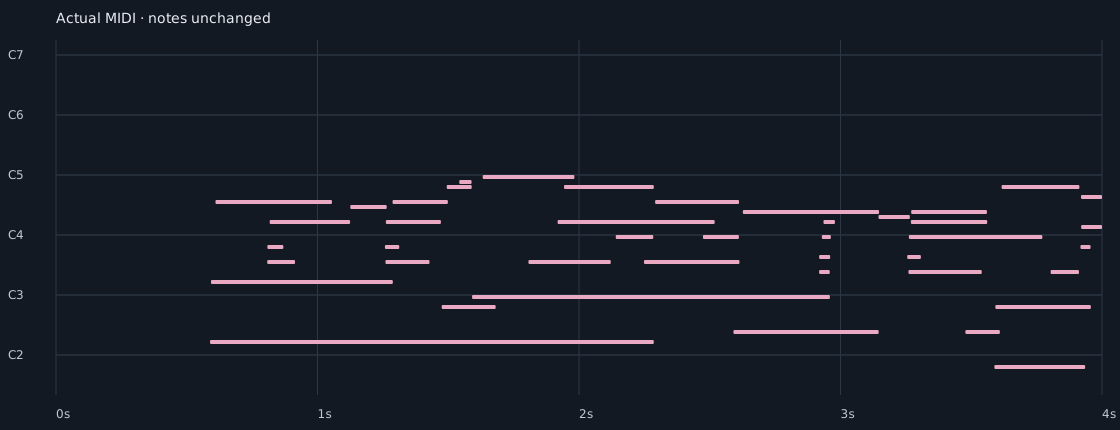
Actual MIDI imported into GarageBand
Common questions
Do these examples establish an accuracy rate?
Results depend on the recording and musical material; examples do not establish a universal accuracy rate.
Does MeluMimi provide a finished score?
MeluMimi provides MIDI, not a finished printable score, PDF or MusicXML.